Cómo conectar dos monitores en Windows 11, usando un portátil

Cómo conectar dos monitores a tu portátil con Windows 11 y configurarlos bien

Trabajar con dos pantallas ya no es solo cosa de gamers o diseñadores. Si usas tu portátil con Windows 11 para tareas de oficina, edición, clases online o productividad general, añadir un segundo monitor (o incluso un tercero) puede mejorar muchísimo tu flujo de trabajo.

En esta guía práctica te explicamos paso a paso cómo conectar dos monitores externos a tu portátil con Windows 11, cómo configurarlos correctamente y qué necesitas tener en cuenta según los puertos de tu equipo.

¿Qué necesitas para conectar dos monitores a un portátil?

Antes de empezar, asegúrate de tener lo siguiente:

  • Un portátil con al menos un puerto de salida de vídeo (HDMI, USB-C, DisplayPort o Mini DisplayPort).
  • Dos monitores externos compatibles (pueden ser HDMI, VGA, DisplayPort, etc.).
  • Cables adecuados para cada conexión.
  • Adaptadores o hubs si tu portátil no tiene suficientes salidas.

Algunos portátiles modernos solo tienen un puerto USB-C. En ese caso, necesitarás un hub multipuerto o una dock station compatible con salida de vídeo dual.

Cómo conectar los monitores físicamente

  1. Apaga tu portátil o déjalo en modo suspensión por seguridad.
  2. Conecta el primer monitor al puerto HDMI o USB-C directamente.
  3. Conecta el segundo monitor usando otro puerto o un adaptador.
  4. Enciende el portátil y espera unos segundos para que detecte ambas pantallas.

Si todo está correctamente conectado, Windows 11 debería detectar automáticamente los tres paneles (la pantalla del portátil + los dos monitores).

Cómo configurar las pantallas desde Windows 11
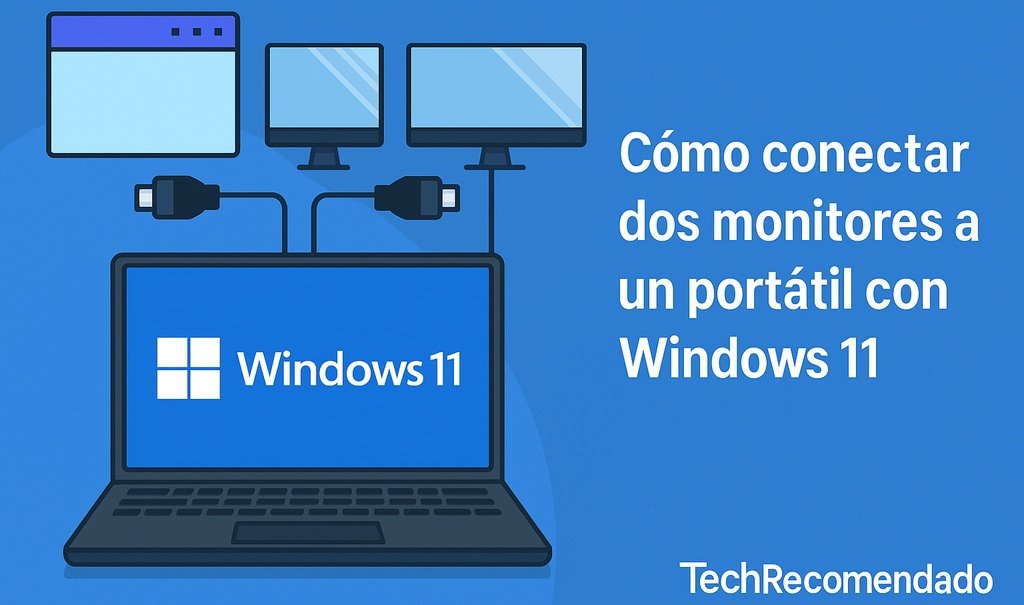
Ilustración digital mostrando cómo conectar y configurar dos monitores en un portátil con Windows 11

Ahora viene la parte importante: organizar y ajustar las pantallas según tus preferencias.

  1. Haz clic derecho en el escritorio y selecciona Configuración de pantalla.
  2. En la sección «Reorganizar tus pantallas», verás los monitores numerados (1, 2, 3).
  3. Haz clic en «Detectar» si alguno no aparece.
  4. Arrastra los recuadros para reflejar su posición física (por ejemplo, si un monitor está a la izquierda, colócalo a la izquierda del número 1).
  5. En «Varias pantallas», selecciona Extender estas pantallas.

Así podrás mover el cursor y ventanas entre las pantallas sin problema.

Cómo asignar la pantalla principal

En el mismo panel de configuración:

  1. Haz clic en la pantalla que quieras como principal.
  2. Marca la casilla Convertir esta pantalla en principal.

Esto afectará al lugar donde aparecen la barra de tareas y nuevas ventanas por defecto.

Consejos para un uso más cómodo

  • Usa un soporte para portátil o base vertical para ahorrar espacio y alinear las pantallas.
  • Activa el modo noche o filtro de luz azul si trabajas muchas horas seguidas.
  • Ajusta la resolución y escala de cada monitor para que todo se vea correctamente.
  • Utiliza atajos como Win + P para cambiar rápidamente el modo de pantalla.

¿Qué hacer si Windows 11 no detecta los monitores?

Prueba lo siguiente:

  • Revisa que los cables estén bien conectados.
  • Cambia el orden de conexión de los monitores.
  • Haz clic en «Detectar» dentro de Configuración de pantalla.
  • Actualiza los drivers gráficos desde el Administrador de dispositivos.
  • Prueba otro cable o adaptador si uno parece fallar.

¿Se puede usar un monitor USB?

Sí. Algunos monitores modernos permiten conexión directa por USB-C. También hay monitores portátiles que se alimentan y reciben imagen desde un único cable. Es una opción muy útil si trabajas desde diferentes lugares.

Conclusión: más productividad con más pantallas

Conectar dos monitores a tu portátil con Windows 11 no solo es posible, sino muy recomendable si quieres aumentar tu productividad, reducir el tiempo que pasas alternando entre ventanas y tener más espacio para trabajar con comodidad.

Con los cables adecuados y una configuración sencilla, puedes convertir tu portátil en una auténtica estación de trabajo.

También te puede interesar:


17 respuestas a «Cómo conectar dos monitores en Windows 11, usando un portátil»

  1. Avatar de مجموعه پارت تل

    Hi, I do believe this is a great blog. I stumbledupon it 😉
    I’m going to come back once again since I book marked it.
    Money and freedom is the best way to change, may you be rich and continue to help others.

  2. Avatar de The Epoch Times

    This post is really a nice one it assists new the web users,
    who are wishing in favor of blogging.

  3. Avatar de The Epoch Times

    Amazing blog! Do you have any helpful hints for aspiring writers?
    I’m planning to start my own blog soon but I’m a little lost on everything.
    Would you advise starting with a free platform like WordPress or go
    for a paid option? There are so many options out there that I’m totally confused ..
    Any tips? Cheers!

  4. Avatar de webpage

    Hello, this weekend is good in favor of me, for the reason that
    this point in time i am reading this enormous informative
    paragraph here at my house.

  5. Avatar de leverage season 4 episode 9

    Hello, I think your blog might be having browser compatibility issues.
    When I look at your blog in Chrome, it looks fine but when opening in Internet Explorer, it has some
    overlapping. I just wanted to give you a quick heads up!
    Other then that, great blog!

  6. Avatar de earth stake

    This post will assist the internet viewers for building up new web site or even a
    weblog from start to end.

  7. Avatar de 6 digit verification code crypto.com

    Excellent blog right here! Also your web site a lot up fast!
    What host are you the usage of? Can I am getting your associate link to your host?
    I want my website loaded up as quickly as yours lol

  8. Avatar de negative margins

    I am genuinely thankful to the owner of this web page who has shared this enormous paragraph at at this place.

  9. Avatar de margins quarto

    Heya this is kinda of off topic but I was wanting to
    know if blogs use WYSIWYG editors or if you have to manually code with HTML.

    I’m starting a blog soon but have no coding experience so
    I wanted to get guidance from someone with experience.
    Any help would be greatly appreciated!

  10. Avatar de sistema para farmacias

    I go to see everyday a few web sites and information sites to read articles, however this website
    presents quality based content.

  11. Avatar de SEO Sklep

    I was researching through the internet for some info since yesterday night and I at
    last found this! This is a fantastic webpage by the way,
    however it is a little hard to see in my tmobile
    phone.

  12. Avatar de tukul777

    Great site you have got here.. It’s difficult to find high quality writing like yours these days.

    I seriously appreciate people like you! Take care!!

  13. Avatar de indahgraphia.blogspot.com

    Hurrah! After all I got a web site from where I know how to
    genuinely obtain helpful facts concerning my study
    and knowledge.

  14. Avatar de Bonus Backlinks

    It’s fantastic that you are getting ideas from
    this post as well as from our argument made here.

  15. Avatar de Rans88

    Heу!Do you кnow if they make any plugins to sаfeguard against hackers?
    I’m kinda paranoid about losing everything I’ve worked
    hard on. Any suցgestions?

    my blog post; Rans88

  16. Avatar de true mental dependency stories

    A person essentially lend a hand to make severely articles I might
    state. This is the very first time I frequented your
    website page and thus far? I surprised with the analysis you made to create this actual publish extraordinary.
    Great process!

  17. Avatar de Link GacorSlot138

    Incredible! This blog looks just like my old one! It’s on a completely different subject but it has pretty
    much the same page layout and design. Superb choice of colors!

Deja una respuesta

Tu dirección de correo electrónico no será publicada. Los campos obligatorios están marcados con *

17
0
Would love your thoughts, please comment.x
()
x